See the bigger picture.
Your estimated total and remaining budget stay in view as your basket grows.
 ShelfSum
A CALMER WAY TO SHOP
Keep a running estimate as you shop. Scan a shelf label, check the price, and keep your basket within budget.
No account required. Core features work on-device.
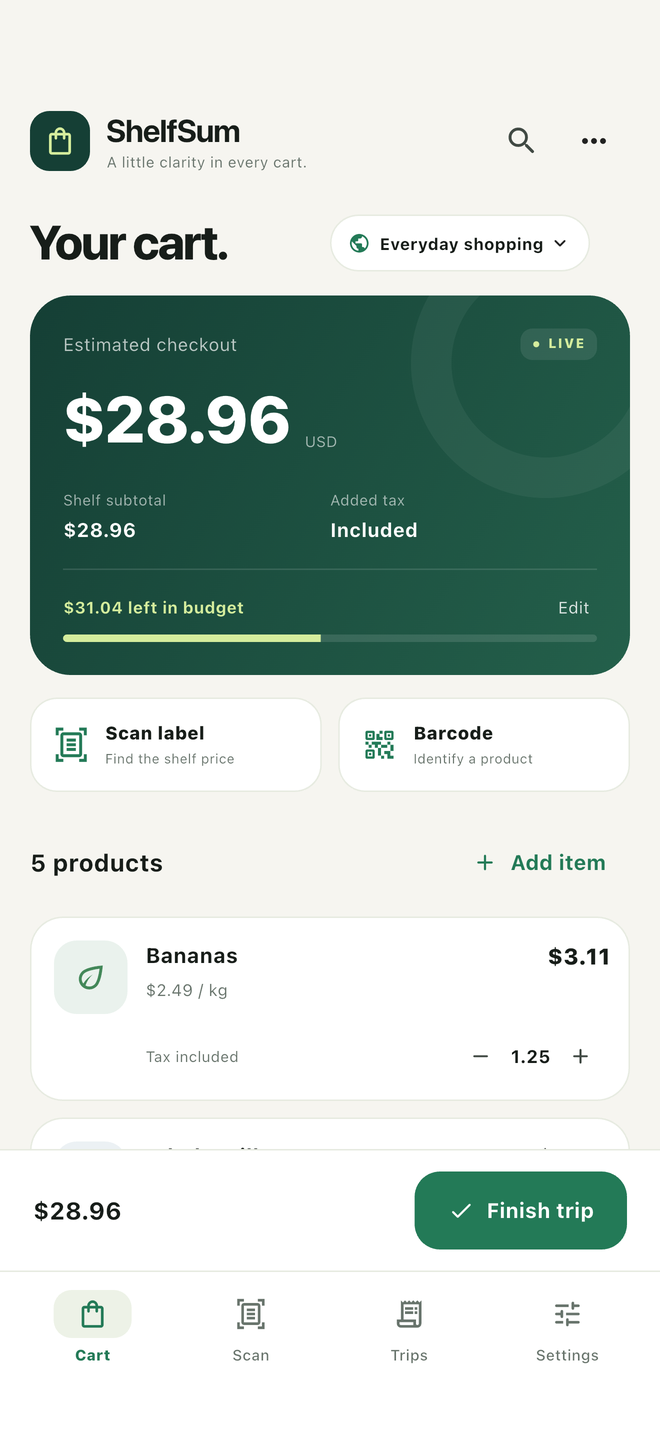
App interface preview · sample data
Your estimated total and remaining budget stay in view as your basket grows.
Scan suggestions are always editable. Confirm the price, quantity and tax choice.
Save completed trips on your device and look back at your estimates.
SIMPLE BY DESIGN
Photograph one shelf label, import a picture, or enter the price yourself.
Check the selected amount and quantity. Offers and unit prices can be misleading.
Follow your running estimate. Save the trip when you are done.
LESS TO SET UP. LESS TO SHARE.
No login and no publisher-operated cloud sync. The app processes scans on-device and stores trips locally. Website visits and support emails are handled separately.
Read the privacy policy →No. It identifies the product and can recall a price you previously entered in the same currency. Always check today's shelf price.
Not necessarily. Promotions, deposits, tax treatment, rounding and input errors can change the final bill. This is a planning tool, not an official receipt.
The current price extractor targets Latin-script labels and common numeric prices. It does not claim Arabic product-name recognition. The initial app interface is English.
No. Manual entry is available. Your shopping data does not need to be uploaded to use the core features.